Standing desks have become a popular part of home offices, and there are many models available for under $400. At this price, you can find electric sit-stand desks that work well for many people, but there are trade-offs in stability, motor design and build quality. Knowing what to look for helps you choose a desk that fits your space and how you work.
This guide focuses on features and trade-offs rather than ranking specific models, since prices and product lines change often. Check current listings, specifications and return policies before buying. Our content is general information, not medical or ergonomic advice.
Why People Choose Standing Desks
A sit-stand desk lets you change positions during the day. Many people like the flexibility of alternating between sitting and standing. Health organizations generally encourage reducing long periods of uninterrupted sitting and moving regularly, but a standing desk is a tool, not a treatment. If you have pain or a health condition, talk with a qualified health professional.
Types of Standing Desks
Electric Sit-Stand Desks
Electric desks use one or two motors to raise and lower the desktop at the push of a button. This is the most common type in the under-$400 range.
Manual Crank Desks
Crank desks use a hand crank to adjust height. They are often less expensive and do not need power, but adjusting takes more effort, so people tend to change positions less often.
Desk Converters
Converters sit on top of an existing desk and raise your monitor and keyboard. They can be a lower-cost option. See standing desk vs. desk converter.
Key Features to Compare
Single vs. Dual Motor
Single-motor desks use one motor, often connected to both legs with a drive shaft. They are typically less expensive and fine for lighter loads.
Dual-motor desks have a motor in each leg. They often lift heavier loads, move more smoothly and may be more stable. More dual-motor options have appeared at lower price points, so check specifications.
Height Range
The height range is one of the most important specifications. Check that:
- The lowest height is low enough for comfortable sitting
- The highest height is tall enough for comfortable standing
Taller and shorter people should pay particular attention. A common starting point is to set the desk so your elbows are bent at roughly a right angle with relaxed shoulders while typing, though comfort varies by person. Some manufacturers provide height calculators.
Weight Capacity
Add up the weight of monitors, monitor arms, computer, speakers and accessories. Choose a desk with a comfortable margin above that total, and follow the manufacturer’s limits.
Stability and Wobble
Budget desks may wobble more, especially at standing height. Factors that affect stability include:
- Frame design: T-shaped legs, crossbars and wider feet can help
- Number of leg stages: Three-stage legs offer wider height ranges but may wobble more at full height than two-stage legs in some designs
- Desktop size and weight
- Floor surface: Uneven floors and thick carpet can add wobble
Reading recent customer reviews that mention wobble at standing height can be helpful.
Desktop Size and Material
Common desktop sizes range from compact to large. Consider:
- Width for monitors and workspace
- Depth for proper monitor distance. See how to set up a monitor.
- Material: Many budget desks use laminate or engineered wood. Solid wood or bamboo tops cost more.
Some desks are sold as frame-only, letting you add your own desktop.
Controls
- Basic up/down buttons
- Memory presets that store your preferred sitting and standing heights
- Height displays
- Anti-collision features that stop movement when the desk hits an obstacle
- Child locks
Memory presets make switching positions easier, which can encourage regular changes.
Noise and Speed
Motor noise and speed vary. If you share a space or take calls, check reviews for noise levels.
Warranty
Warranties vary for frames, motors and desktops. Look for clear warranty terms and accessible customer support.
Where Budget Desks Save Money
Lower-priced desks may compromise on:
- Frame thickness and stability
- Motor quality and lifting capacity
- Desktop material and edge finishing
- Warranty length
- Cable management features
Decide which features matter most for your setup.
Brands to Compare
Many brands offer standing desks under $400, including FlexiSpot, Fezibo, Vivo, Flexispot’s budget lines, Amazon Basics and models from office retailers. Some brands like Uplift, Fully and Branch also sell higher-end desks that occasionally go on sale. Compare current specifications and reviews.
Assembly Tips
- Check box weights and get help lifting heavy parts.
- Assemble on a soft surface to protect the desktop.
- Follow instructions carefully, especially motor and cable connections.
- Use a power drill carefully to avoid stripping screws, or use the included tools.
- Level the feet to reduce wobble.
Setting Up Your Desk
- Set your sitting and standing heights and save them as presets.
- Use an anti-fatigue mat if standing on hard floors.
- Leave enough cable slack for the desk’s full height range. See cable management ideas.
- Check for obstacles like windowsills and shelves.
Questions to Ask Before Buying
- Does the height range fit both your sitting and standing positions?
- What will you put on the desk, and is the weight capacity enough?
- Is the desktop deep enough for your monitor?
- How stable is the desk at standing height, based on recent reviews?
- What does the warranty cover, and for how long?
- What is the return policy if the desk does not fit?
Common Problems and Simple Fixes
Desk Wobbles at Standing Height
Tighten all frame bolts after the first week of use, since parts can settle. Level the feet, move the desk off thick carpet if possible and place heavier items toward the center. Some owners add a crossbar or attach the desk to a wall bracket where the manufacturer allows it.
Desk Stops Moving
Check the power connection and control box cables first. Many desks have a reset procedure, often holding the down button until the desk reaches its lowest point. Consult the manual or customer support before opening any components.
Uneven Lifting
On dual-motor desks, uneven lifting may indicate a loose cable or a motor issue. Stop using the desk and contact support.
Frequently Asked Questions
Are standing desks under $400 worth it?
Many people find them useful. Expect trade-offs compared with premium desks, especially in stability and warranty length.
Is a dual-motor desk necessary?
Not always. Single-motor desks can work for lighter setups. Dual motors help with heavier loads and smoother movement.
How much should I stand each day?
There is no single answer. Many people alternate positions throughout the day. Consult a health professional for personal guidance.
Can I use my own desktop?
Many brands sell frame-only options. Check size and mounting compatibility.
Do standing desks wobble?
Some do, especially at full height. Frame design, desktop size and flooring all affect stability.
The Bottom Line
A standing desk under $400 can work well if you focus on height range, weight capacity, stability and warranty. Decide whether single or dual motors fit your needs, check desktop depth for your monitor and read recent reviews about wobble before buying.
Editorial note: Home Desky is independent and reader-supported. This guide is based on research into manufacturer documentation, published specifications and widely accepted best practices; we have not been paid to mention any product. If we add affiliate links in the future, they will be clearly disclosed per our Affiliate Disclosure.
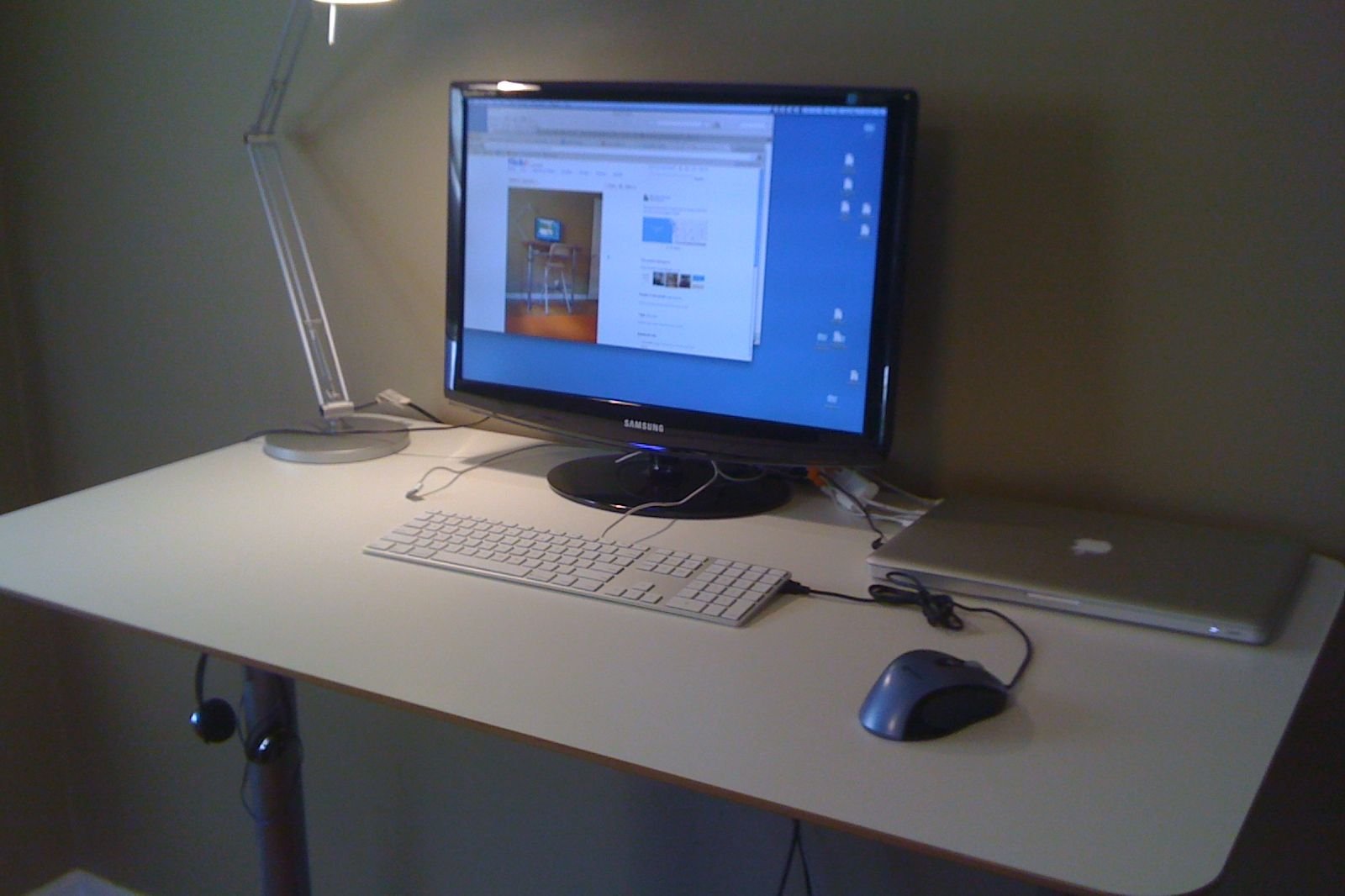
Photo: Office, Standing Desk by Ryan Snyder, CC BY 2.0